The waveform overlay that keeps your eyes on the picture, on top of a video engine of its own: multiple reels, fullscreen on any display, and a Pro Tools sync built to survive a full mixing day.
Every waveform feature of PictoWave, plus a standalone video engine designed for dedicated video cards and long, reel-based sessions.
Standalone video engine
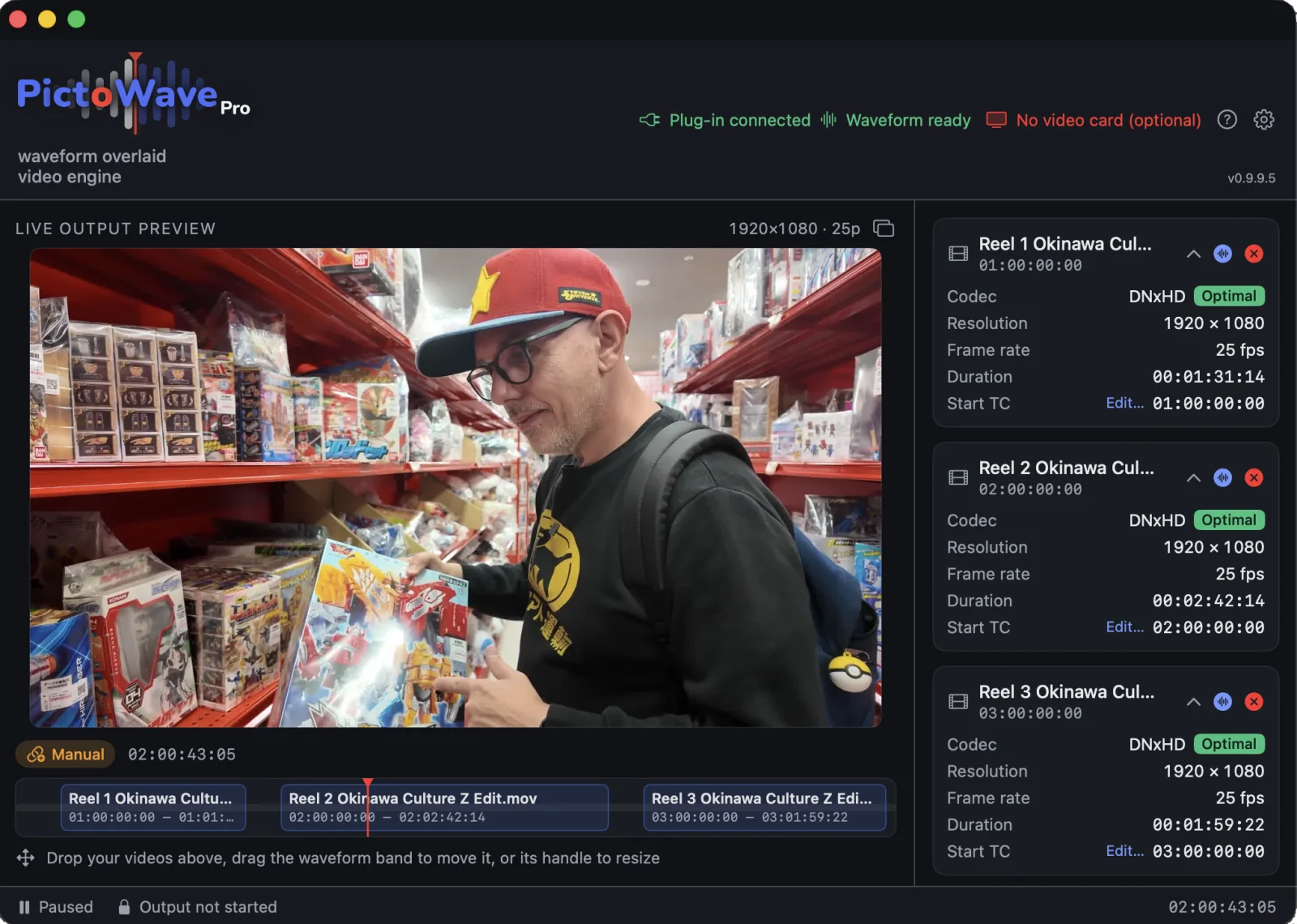
Pro Tools' own video window doesn't need to stay open. PictoWave Pro plays your picture independently, without needing Avid's video engine.
Pop it out, pin it anywhere
Pop the video out into its own free-floating window, drag it to a second display, or go fullscreen with one click. Keep it pinned above everything else. Got Blackmagic hardware, a DeckLink card or an UltraStudio box? Send picture to a true dedicated video monitor instead.
Two waveforms at once
Follow two stems or tracks side by side, dialog and music for instance, each with its own name, color, height and placement.
Every reel, nothing to switch
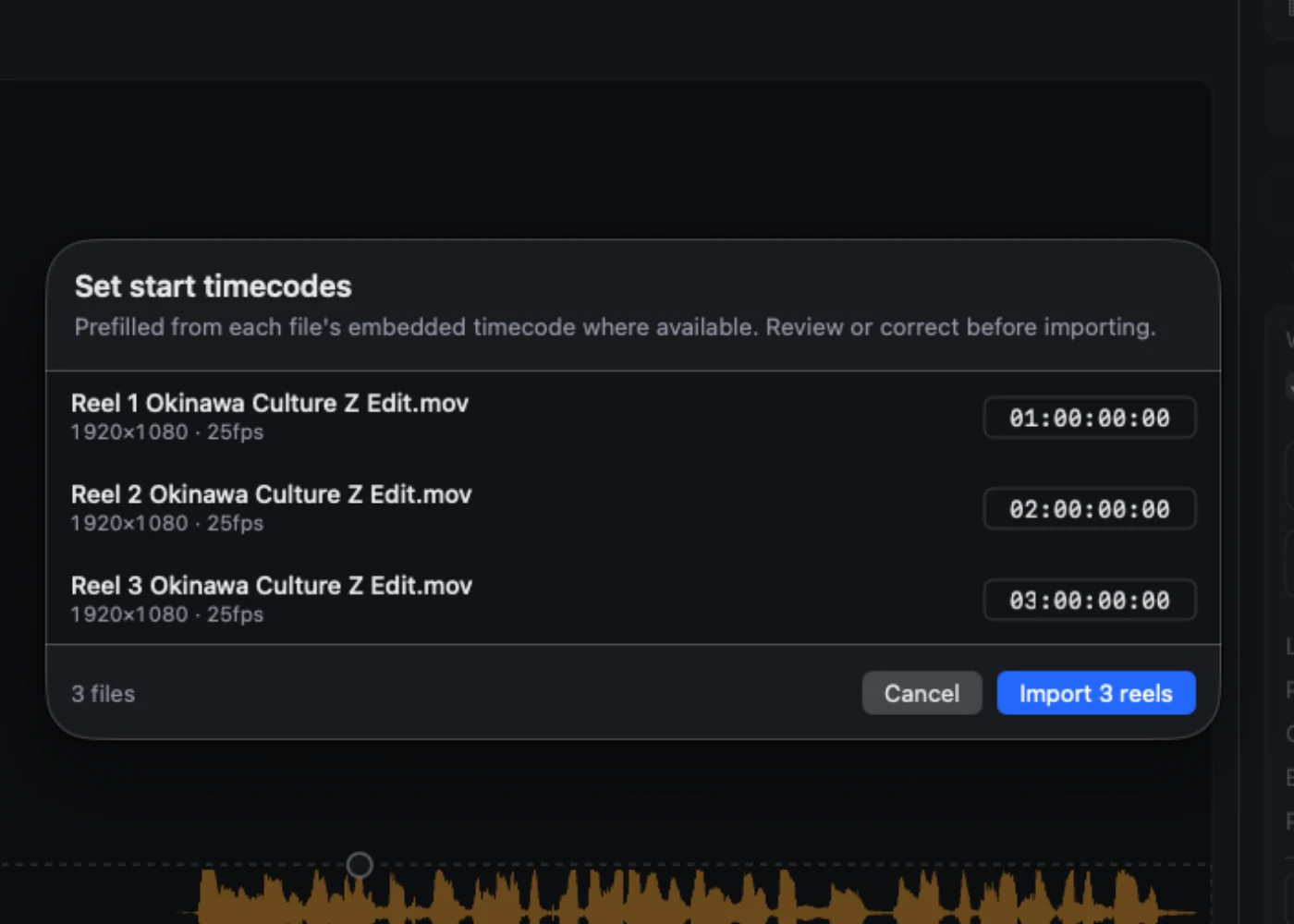
Import a whole show's worth of video files in one go. PictoWave Pro follows Pro Tools across reel boundaries on its own, even on Pro Tools Studio.
Batch Learn, selections included
Learn a whole show in one click. PictoWave Pro drives Pro Tools for you: it selects and learns each reel in batch.
A visual cue for ADR and voice-over
Learn the guide track and you have a cue in seconds. Start point, length, breaths, end. Actor and engineer watch the same thing.
Multiple codec support
Work with the deliverables you actually receive. No forced transcode just to get a picture playing.
Rock-solid Pro Tools sync
Locked to Pro Tools' transport, reliable across a full day of mixing.
Switch Macs from anywhere
Forgot to release your license before leaving home? Do it from the studio instead, right in the app. Even if the other Mac is off.
Built for reel-based workflows
Every reel, one continuous timeline
Import a whole show's worth of reels at once. PictoWave Pro keeps them mapped to their place on Pro Tools' timeline, switching video and waveform together the instant the playhead crosses a reel boundary. No re-loading, no dropped sync. And because the picture plays in PictoWave Pro rather than in Pro Tools, you get full multi-reel video on Pro Tools Studio.
Compatibility
What you need to run it
Plugin format
AAX
Pro Tools
2025.06+, Studio or Ultimate
Mac architecture
Apple Silicon & Intel
Universal binary, macOS 13 or later. Apple Silicon recommended for the smoothest playback.
Memory
16 GB or more
Around 2 GB for a 7-reel session, on top of Pro Tools.
Video formats
ProRes, DNxHD/HR, H.264, HEVC, MPEG-2, MJPEG
ProRes or DNxHD/HR best for scrubbing. One frame rate per session.
Video output
Built-in display, or Blackmagic DeckLink & UltraStudio
Fully tested with UltraStudio Monitor 3G. Built on Blackmagic's standard DeckLink SDK. DeckLink and UltraStudio models should work the same way, just not individually verified yet.
On-screen preview
Up to 4K on Apple Silicon, Full HD on Intel
Set automatically from your GPU.
Activation
License key
Internet connection required
Pro Tools Artist and Intro aren't supported. A dedicated video card is optional: PictoWave Pro runs fine on a regular display too.
Pricing
One payment. No subscription.
Lifetime license, no subscription. Fast activation after purchase. Prices in euros include VAT: the rate shown is 20%, though it may differ depending on your country in the EU.
FULL ENGINE
PictoWave Pro
The standalone video engine
€169.99
One-time payment, no subscription. 20% VAT included, may vary by country
Standalone video engine, multi-reel, multi-codec
Playback windowed, fullscreen or through Blackmagic devices
Two simultaneous waveforms overlay (e.g. dialog + music)
Every reel on one timeline, even on Pro Tools Studio
⚠Before you buy: PictoWave needs Pro Tools 2025.06 or later, Studio or Ultimate, on macOS 13 or later. PictoWave Pro runs on Intel Macs, adapting preview resolution to the GPU, but Apple Silicon is recommended for the video engine.